
What are Article and Order Documents?
Good Solutions allows Documents to be linked to specific Articles and production Orders, making important information easily accessible to Operators.
These Documents can include:
- Work instructions: Instructions for manufacturing a specific Article.
- Technical drawings: Product drawings and specifications.
- Setup instructions: Guidance for machine setup and changeovers.
- Quality instructions: Inspection requirements and quality standards.
By accessing Documents directly from the Production Plan, Operators can quickly find the information needed to prepare for upcoming production.
Step 1: Open the Production Plan
- Open Operator Tools in Good Solutions.
- Select the relevant Measure Point.
- Click Plan in the bottom navigation menu.
The Production Plan displays the Articles and Orders scheduled for production at the selected Measure Point.
Step 2: Find Documents for an Article or Order
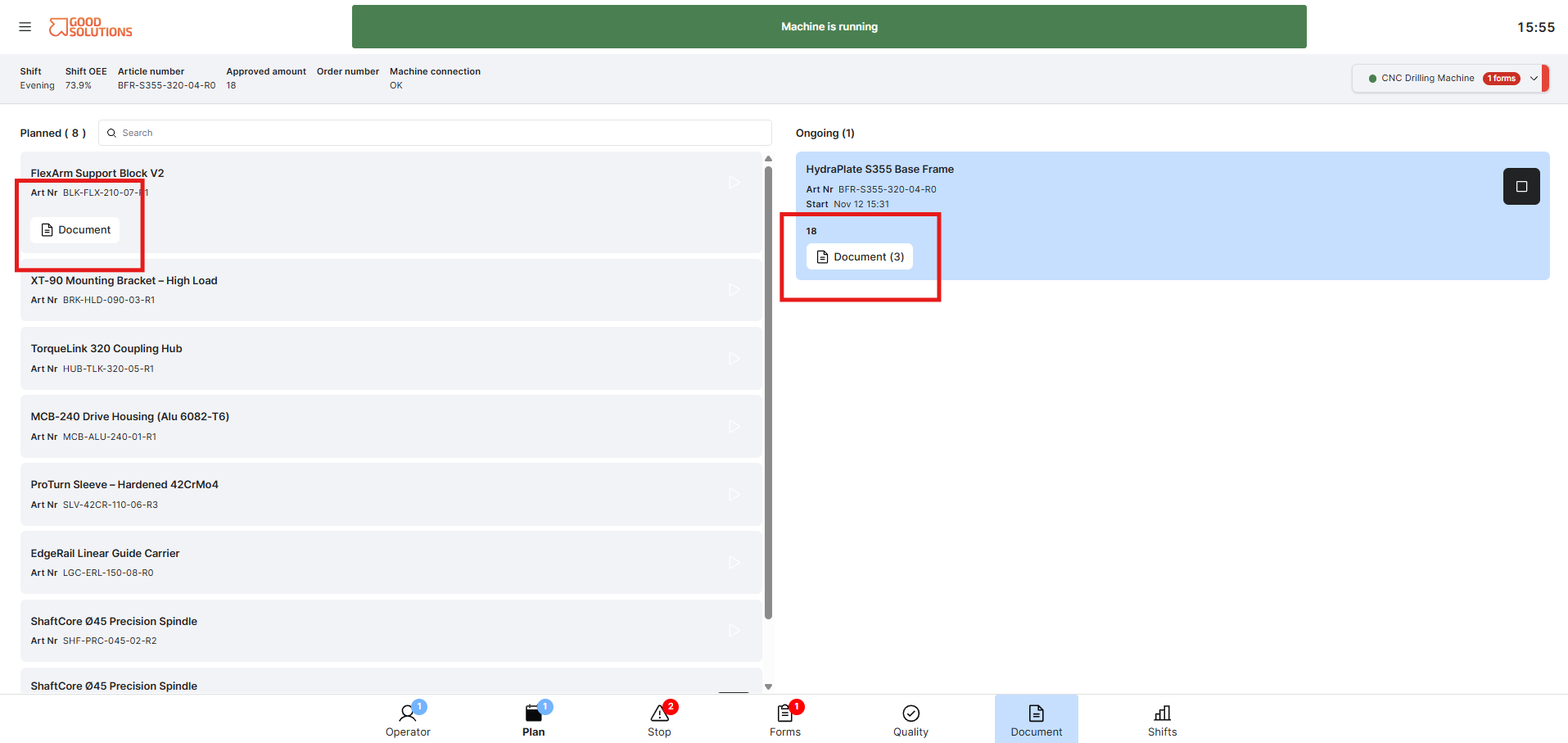
- Locate the Article or Order in the Production Plan.
- Look for the Document icon associated with the Article or Order.
- Click the icon to access the linked Documents.
The Document icon indicates that documentation is available for the selected Article or Order.
Step 3: Open a Document
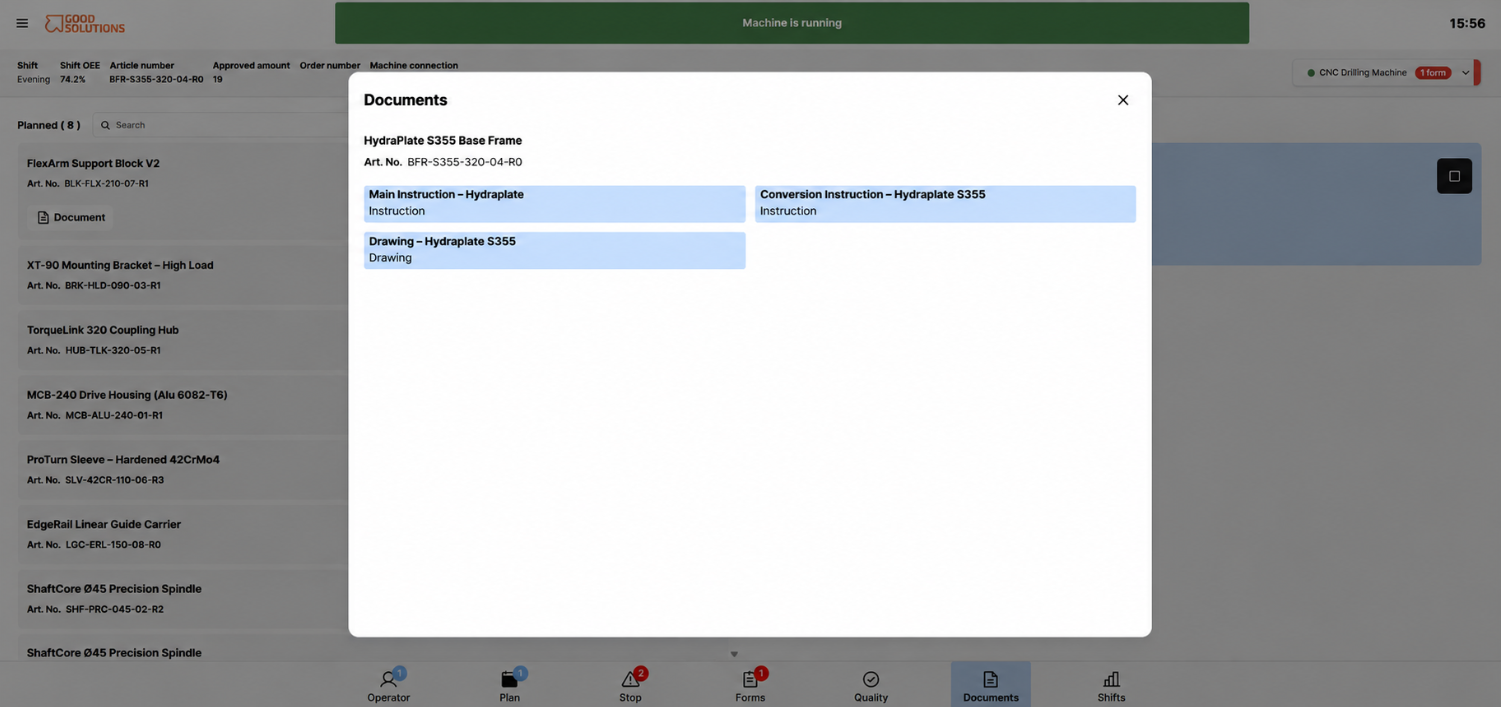
- Review the available Documents.
- Select the Document you want to view.
- Click the Document to open it.
Good Solutions opens the linked Document, allowing you to review the instructions, drawings, or other information.
Note: Documents are linked to Good Solutions rather than stored directly in the system. Access may depend on permissions in the external document system.