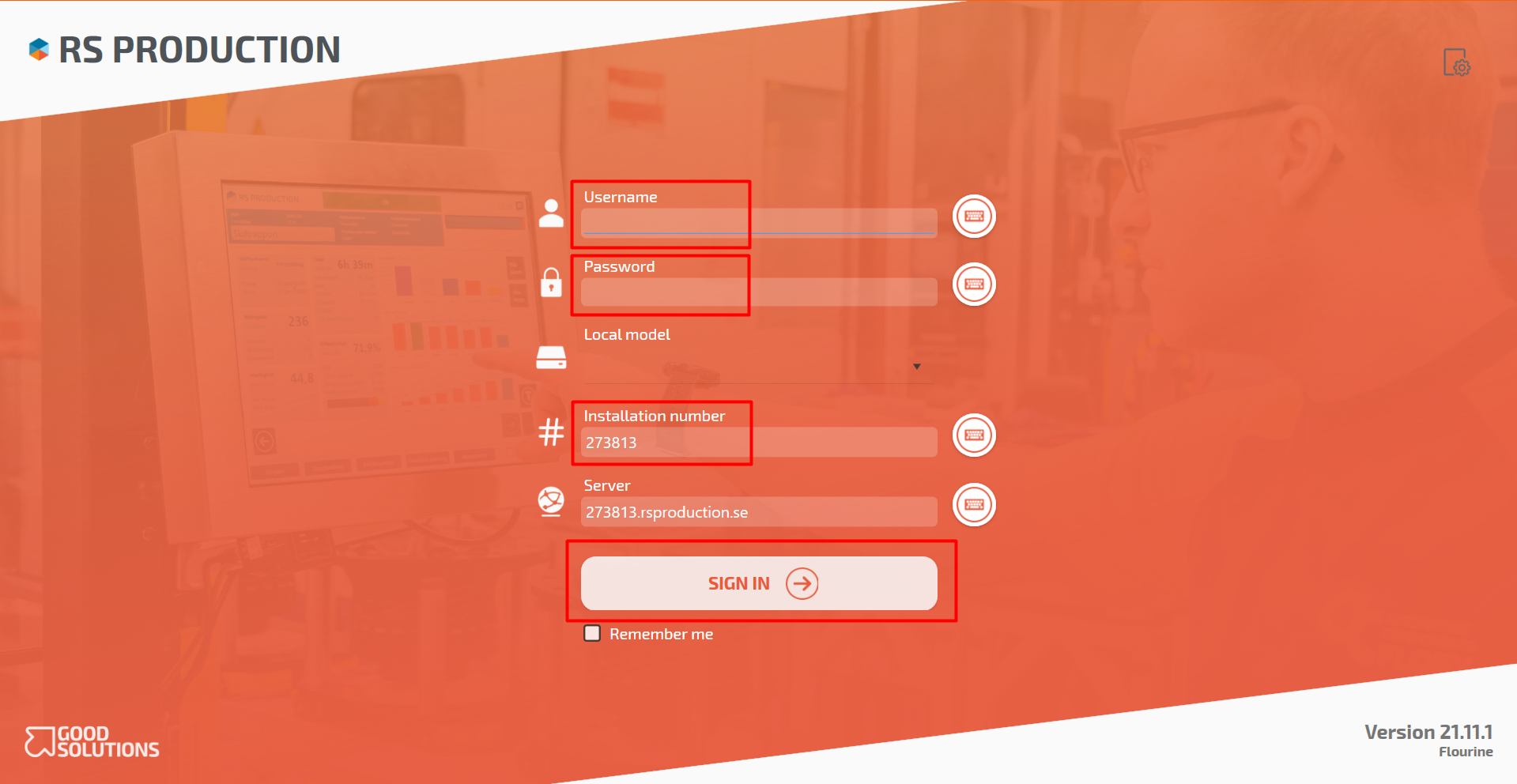
Before you start:
To download the RS Production client, you need the following information:
- Installation number (6-digits number)
- Address to login server (If you don't have a RS Production cloud service)
Download GS desktop:
- Download the client on the following URL in your web browser, with your 6-digits installationnumber:
- If installation is hosted in Good Solutions cloud service http://installationnumber.rsproduction.se/installationnumber/data/download/latestclient.msi
- If installation is not on RS Production Cloud http://loginserver/installationnumber/data/download/latestclient.msi
- When the file is downloaded: click on it to install the software on the computer. RS Production will automatically be installed as a shortcut on the desktop
- Enter “Username”, “Password” and “Installation number”
- Tick in "Remember me" if you want
- Click SIGN IN