
What is the Production Plan?
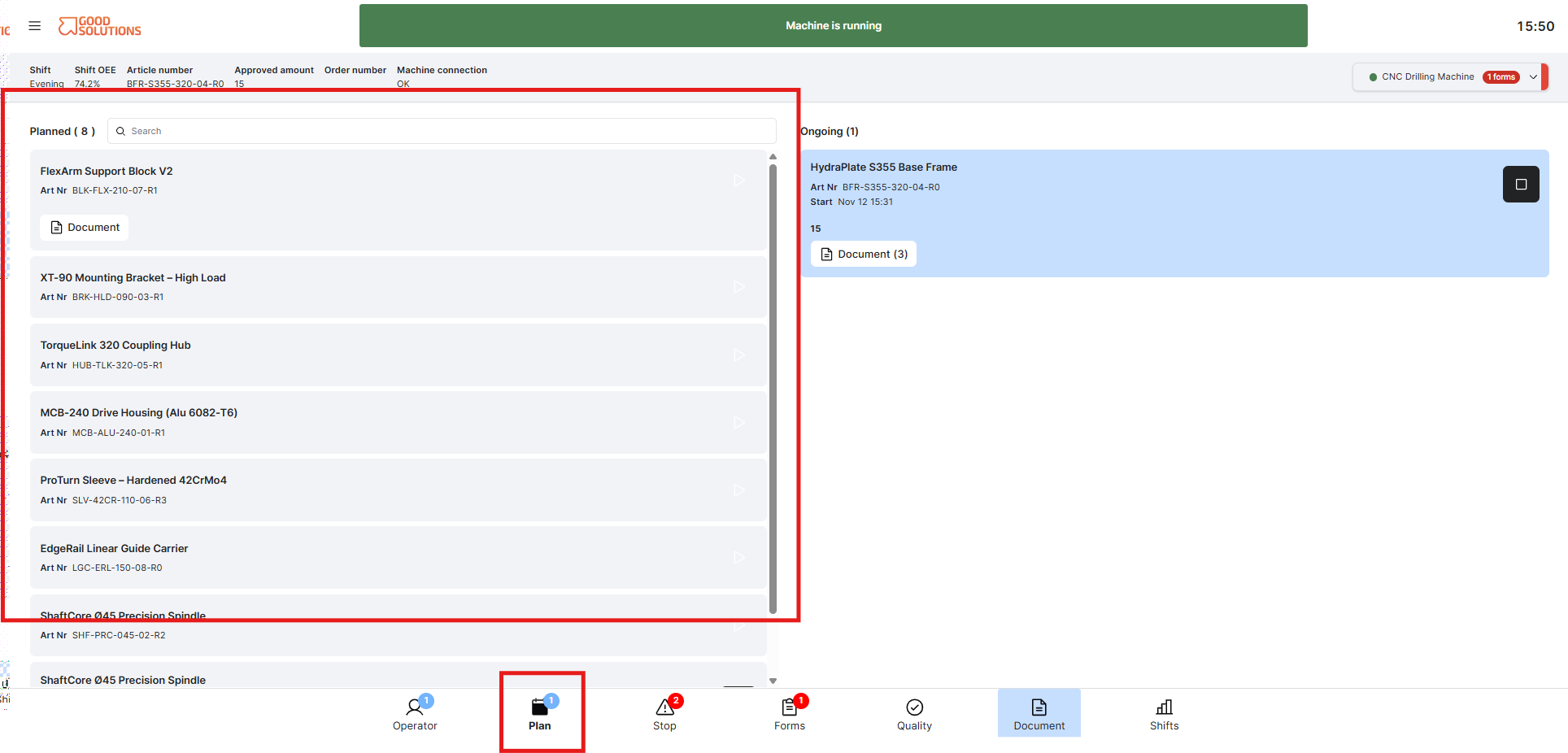
The Production Plan in Operator Tools provides an overview of planned and upcoming production at your selected Measure Point.
It helps Operators understand which Articles and Orders are scheduled for production, making it easier to prepare materials, equipment, and other resources in advance.
Step 1: View upcoming production
Review the Production Plan to see which Articles and Orders are scheduled for production.
Depending on the available information, you can see details such as:
- Article: The product scheduled for manufacturing.
- Order: The production order associated with the Article.
- Planned quantity: The number of units planned for production.
- Production sequence: The order in which production activities are planned.
Use this information to understand what is coming next and prepare for upcoming production activities.
Step 2: Prepare for the next production run
Before starting the next Article or Order, review the Production Plan to ensure you are ready.
For example, you can:
- Check which materials are required.
- Prepare the machine for the next Article.
- Review any necessary setup instructions.
- Access relevant Documents, such as technical drawings or work instructions.
Preparing in advance can help reduce changeover time and avoid unnecessary production stops.