
In Good Solutions, Quality describes what happens to the products you produce: how many are approved, how many are scrapped, and how many require rework.
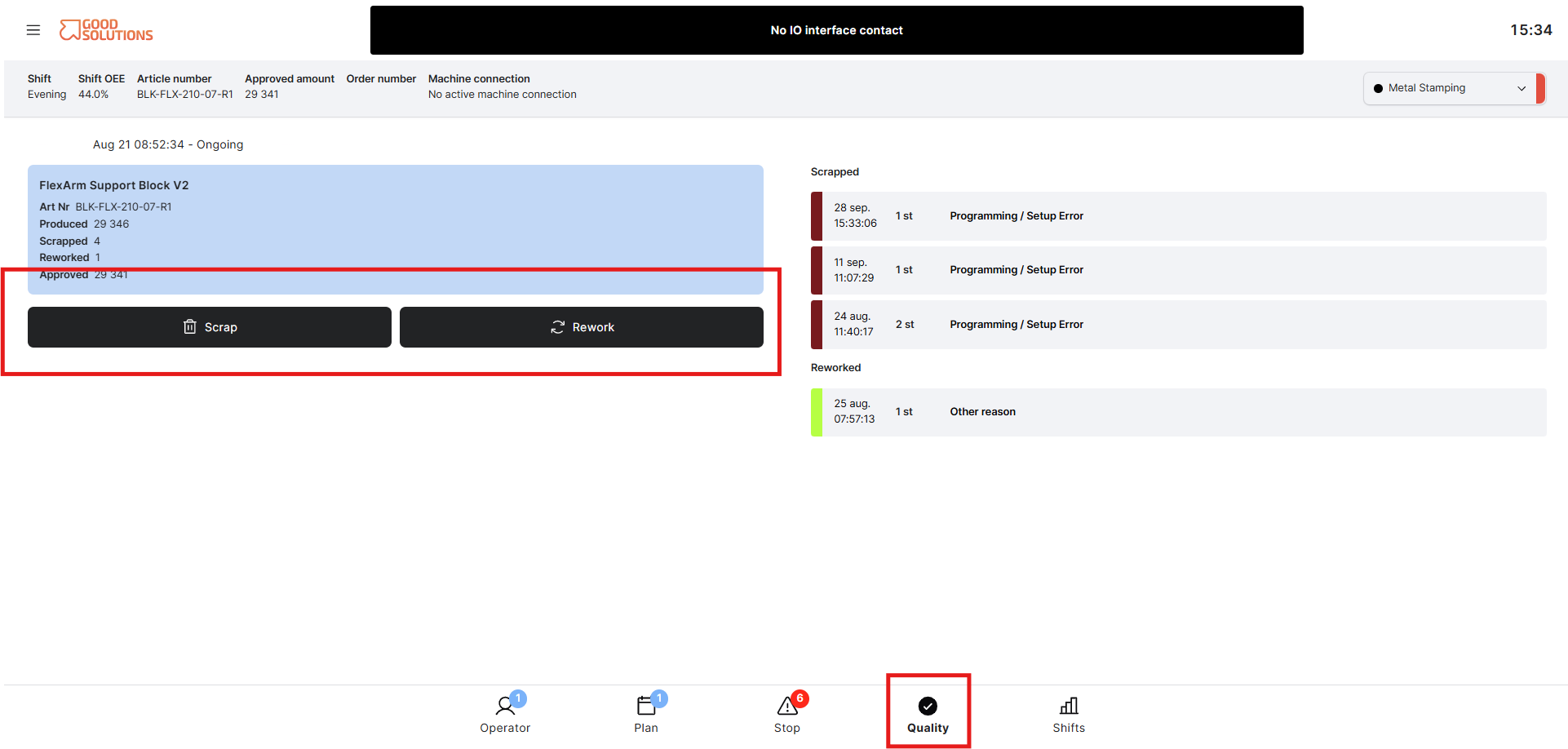
From an Operator perspective, the Quality page is where you record production outcomes such as scrap and rework and specify why they occurred.
What does Quality mean?
When production is running, the produced quantity can be divided into different quality outcomes:
- Approved – Products that meet the required quality standards.
- Scrapped – Products that cannot be accepted and are removed from production.
- Reworked – Products that require additional work or correction before they can be approved.
Recording these outcomes helps ensure that Good Solutions accurately represents what was actually produced.
Recording scrap
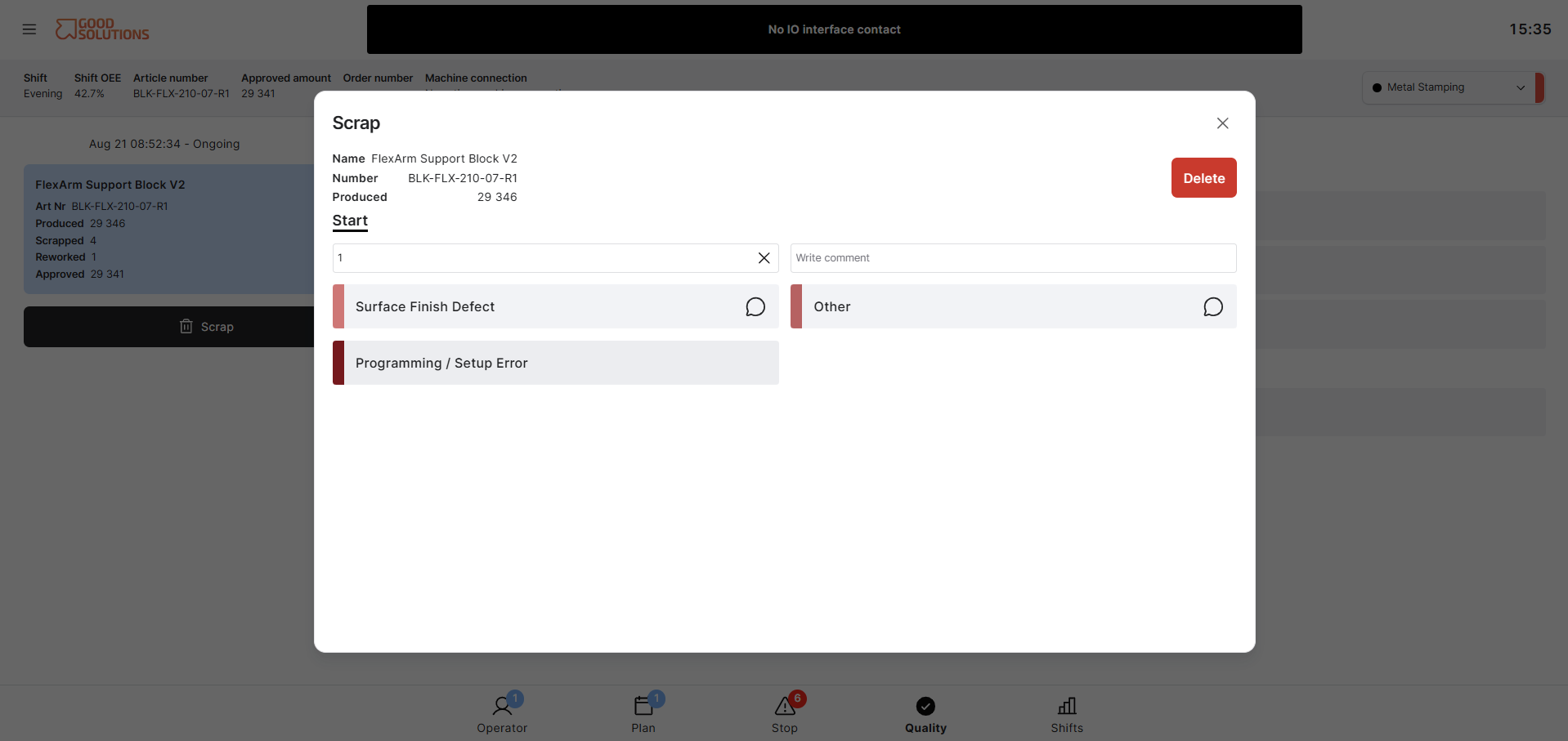
When products are scrapped, you can register the quantity in Quality and select the appropriate Scrap Reason.
For example, scrap reasons could include incorrect dimensions, material defects, surface damage, process errors, or incorrect setup.
The available Scrap Reasons depend on how your Good Solutions environment has been configured.
Accurately recording Scrap Reasons helps your team understand not only how much was scrapped, but why.
Recording rework
If produced items need additional work before they can be considered approved, they can be registered as Reworked.
Recording rework provides a more complete picture of production quality, including losses that may not result in the product being completely scrapped.
How to add scrap or rework
To register scrap or rework from the Quality page:
- Select the production run
Make sure you have selected the production run where the scrap or rework occurred. - Select Scrap or Rework
Choose whether you want to register a Scrap or Rework item. - Enter the amount and reason
Enter the number of items that were scrapped or reworked and select the appropriate Scrap Reason or Rework Reason. - Add a comment
Enter a comment with any additional information that may help explain what happened. - Confirm
Review the information and confirm the entry.
The scrap or rework is now registered against the selected production run and can be used in production reporting and analysis.
Why is Quality data important?
Quality information is used throughout Good Solutions to understand production performance and calculate production KPIs.
By recording quality events accurately, operators help the organisation:
- Understand how much production is approved, scrapped, or reworked.
- Identify recurring quality problems.
- Analyse Scrap Reasons, Rework Reasons, and quality losses.
- Compare quality performance between articles, orders, Measure Points, and periods.
- Improve the accuracy of production reporting and OEE.
Good Quality data starts with accurately recording what happened during production.